01
Board
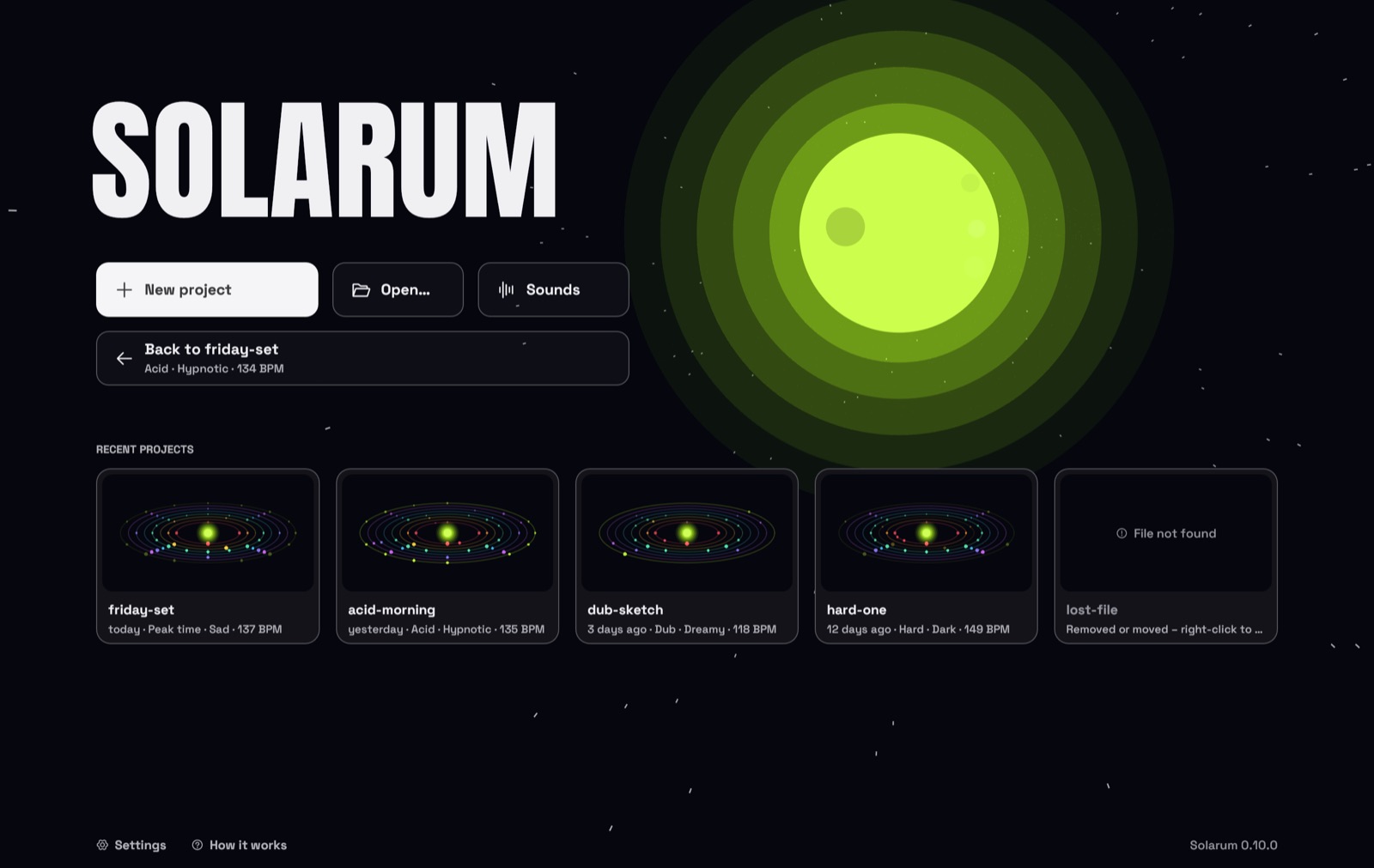
Open Solarum and you're in the cockpit: start a new project, pick up where you left off, or let Luna fly.
Techno from another planet. Board the ship, fly into a little solar system and make beats by touching planets – with 51 sounds from space or your very own. Easy, beautiful, for everyone.
No timeline, no mixer, no menus full of words you don't know. Solarum is a spaceship, and your beat is the solar system outside the window.
Open Solarum and you're in the cockpit: start a new project, pick up where you left off, or let Luna fly.
Every sound is an orbit round the sun, every beat a planet. A beam of light sweeps round once a bar and lights them up. Touch the sky and a planet appears. The sun is the play button.
The little robot on board rolls a fresh rhythm whenever you ask, and can take the controls to play a whole set: build-ups, breakdowns, drops. It listens before every change, brings the theme back before the drop, and learns what you like from a thumb up or down.
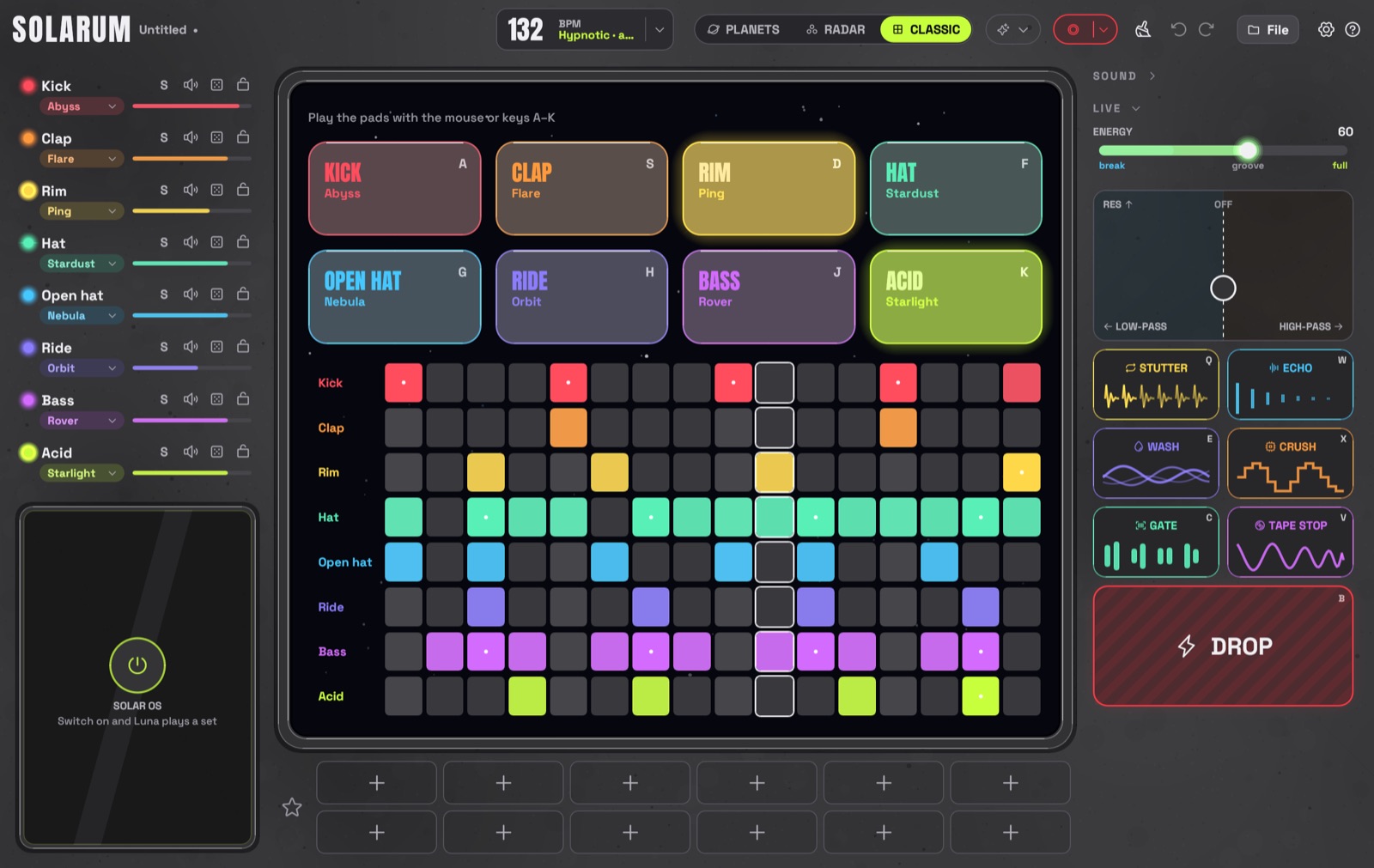
Every sound has its own colour. Bass and synth planets float on stalks, the higher the note, the higher they float. Drag them and they sing. Prefer a grid? One click and it's a classic drum machine.
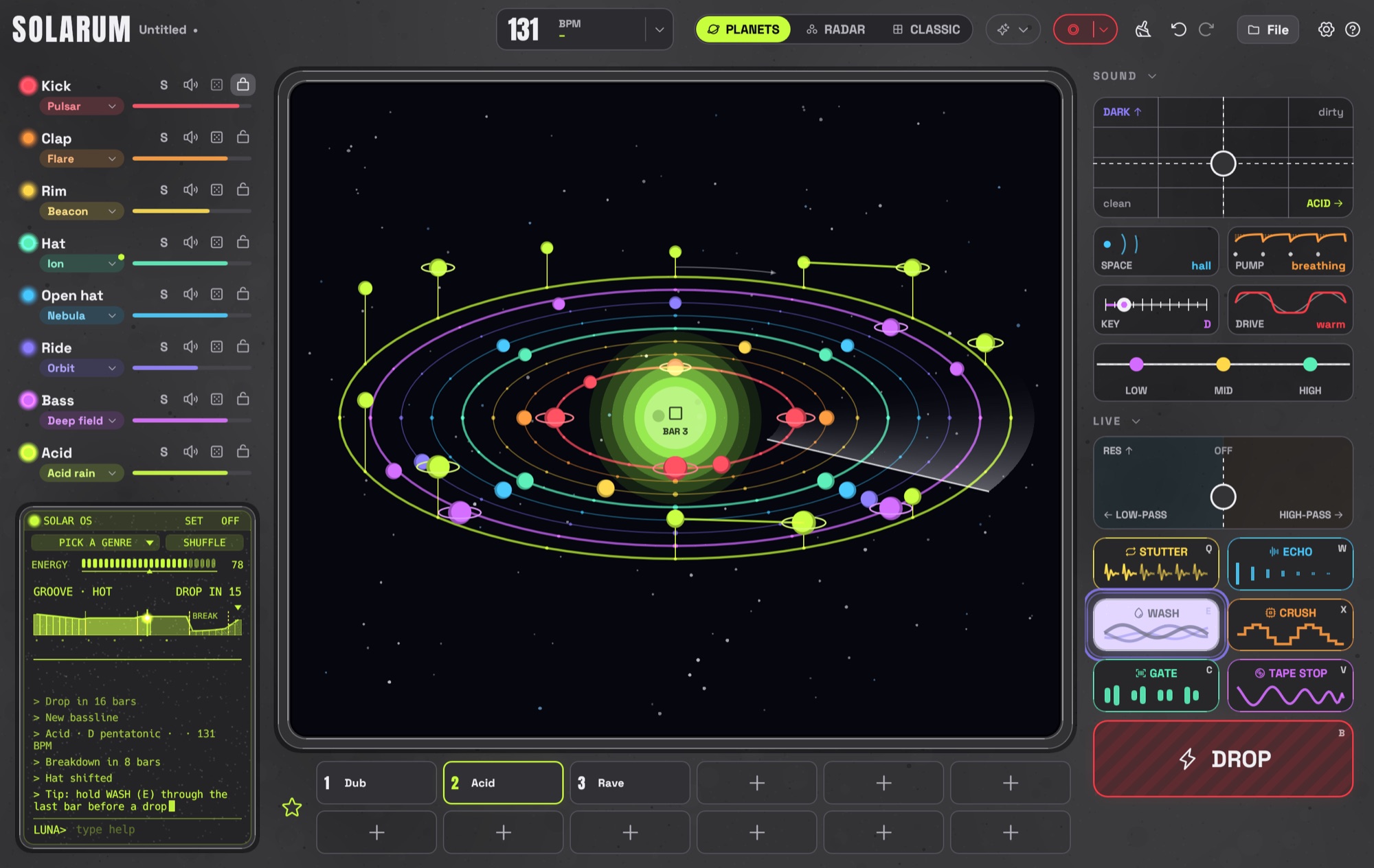
The planets view while Luna plays a set: tracks on the left, the sound and live effects on the right, favorites below.
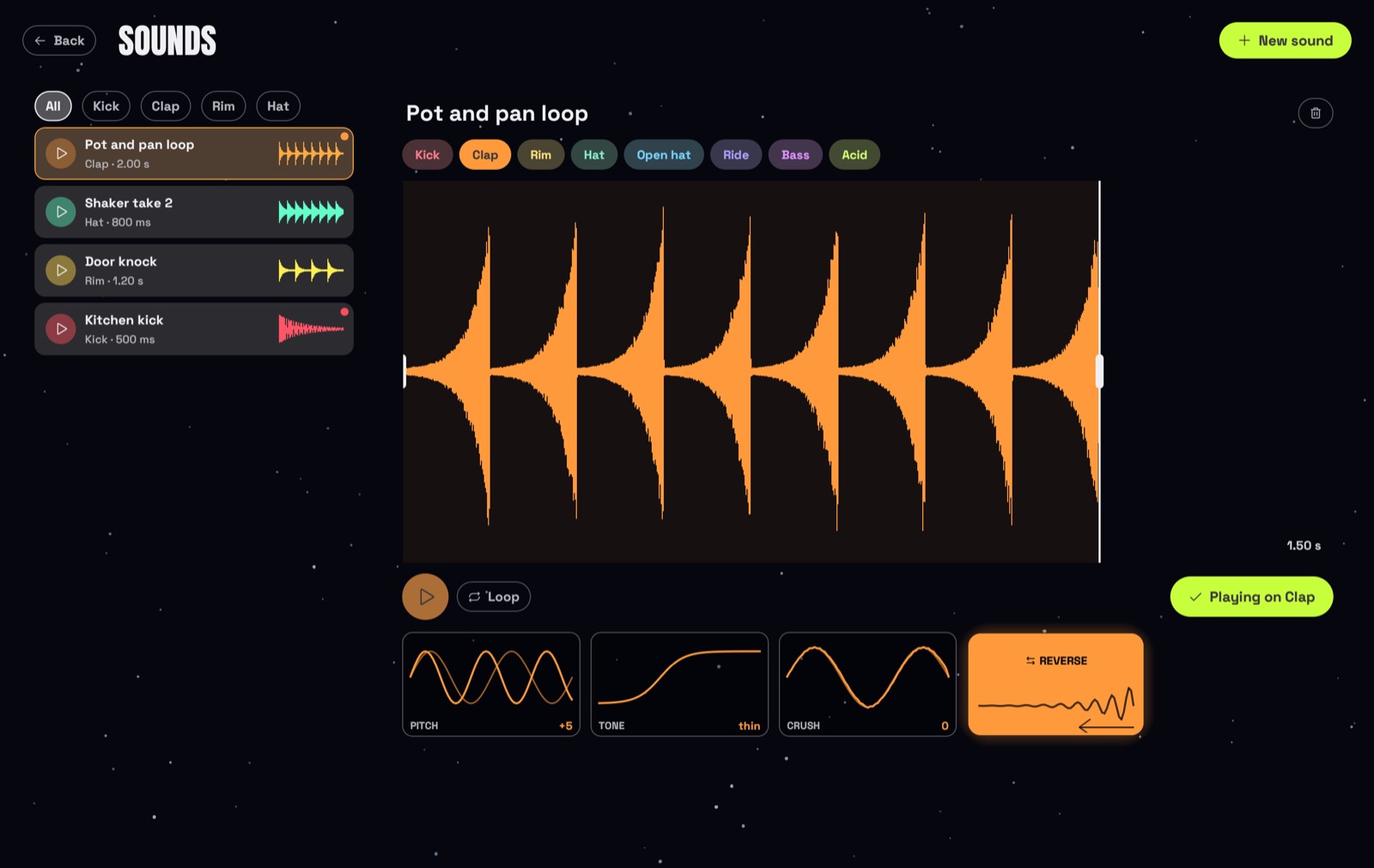
Clap into your microphone, knock on the table, beatbox a kick – or draw a sound with the mouse. Solarum turns it into an instrument on one of its tracks, right next to the 51 built-in sounds. Or let Solarum breed one with you. Open SOUNDS on the start screen and press + New sound: Start › Breed, Record or Draw › Finish, with Cancel and Back always in the same place – and Luna's three sounds of the day waiting on top.
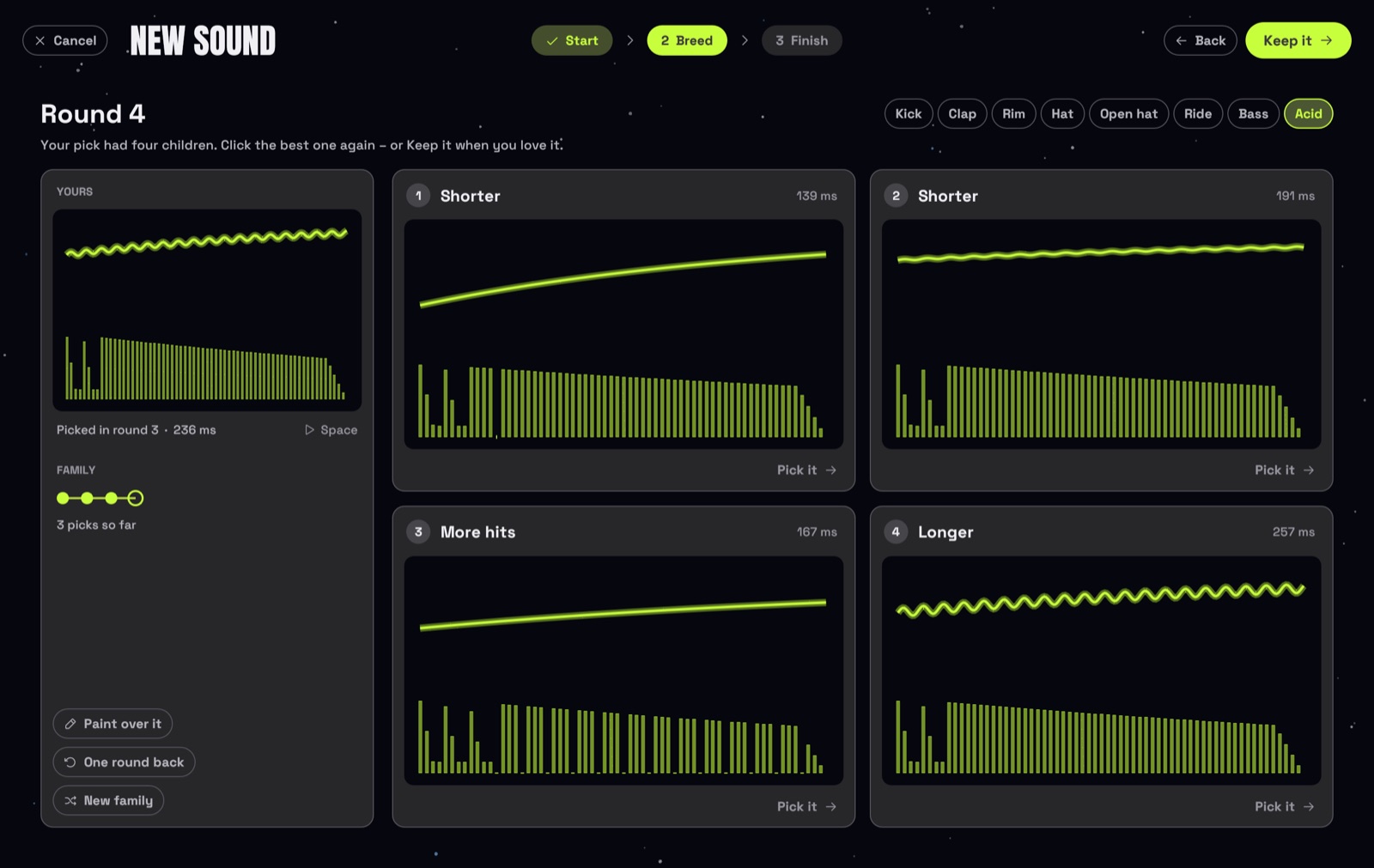
Breed: four children of your last pick, each a little different – the card says how. Click the best one, again and again.
Switch on SOLAR OS, the little computer on board, and Luna waves and takes over. Jump in any time, or just listen.
acid, drop, mood dark, bpm 135, seed tom for a beat from any word, or ask for a joke. help opens Luna's manual: click a command and it runs.Hear four, click the best, it gets four children – a few rounds and the sound is yours. No drawing, no knobs.
Every day Luna breeds three new sounds for three tracks – the same for everyone. Hear them, keep them with one click.
Stardust for playing, breeding and keeping: ten levels of antennas, colours, shades and wings. Luna can dance on the main screen too.
Since 0.10: record, draw or import them, shape them in the editor and play them on any track. Projects take them along.
All changes are in the release notes.
Dub, Minimal, Melodic, Hypnotic, Electro, Peak time, Acid, Rave, Industrial, Hard. Each with its own tempo, sounds and rules.
Kicks, claps, hats, rides, seven basses and a synth from 303 to pads, all made live and named for space. Record, draw or import your own and shape them right in the app.
One fader is the whole arrangement. Press DROP for a two-bar build-up, a breath of silence, then everything hits.
Stutter, echo, wash, crush, gate, tape stop and a filter pad. Hold a button, let go to come back.
One button records everything you hear and saves it as a WAV, ready to share.
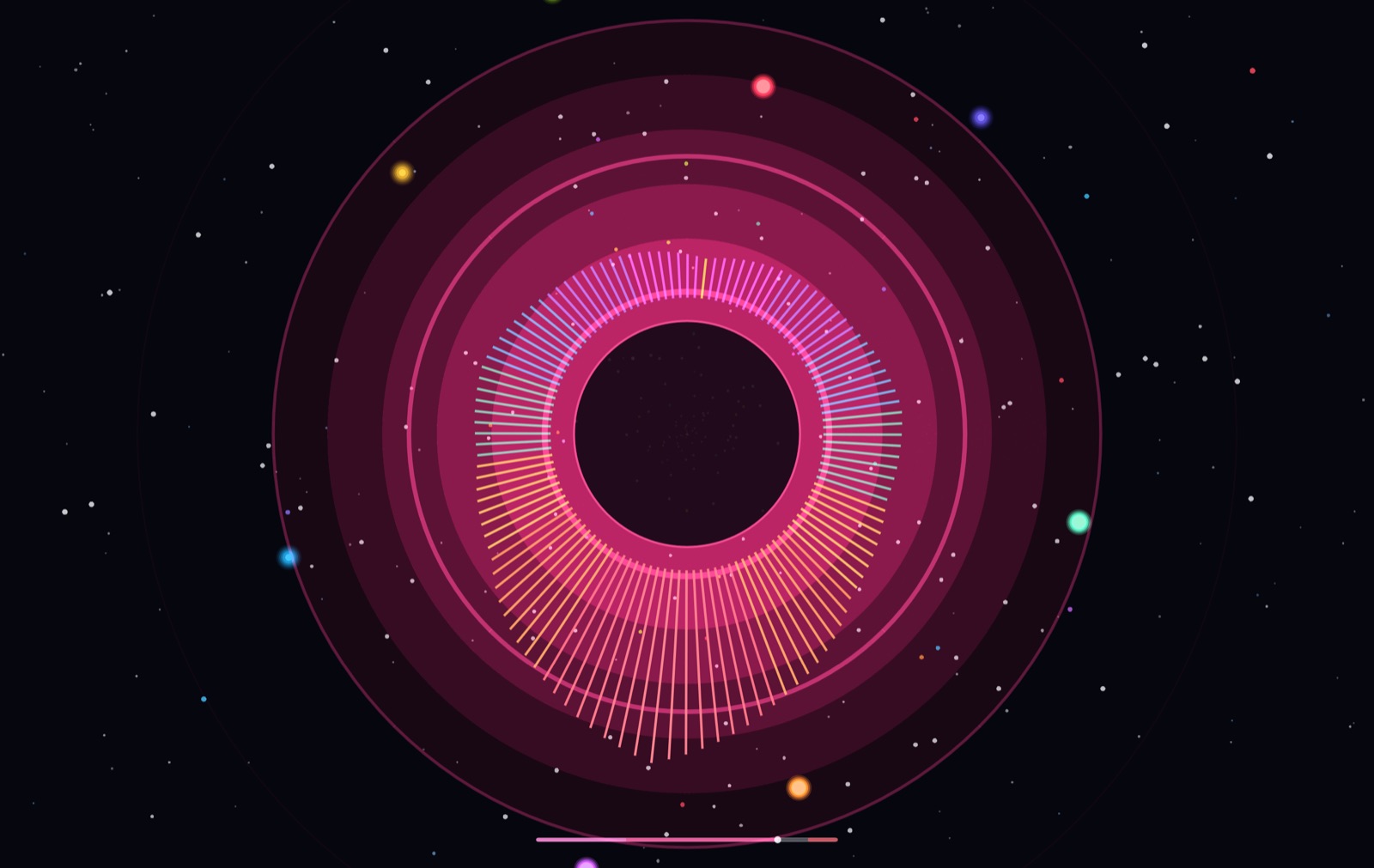
LIGHTS and FACE for the big screen or a projector: shockwaves, star fields and a head that screams on the drop.
Every change can be undone, nothing goes off-beat, and your work is saved automatically. Not even a crash in the middle of saving breaks a project.
Plug one in and play the sounds and transpose the bassline live, even while Solarum runs.
Open source under MIT. No account, no tracking, no ads. Projects friends send you are checked before they play.
Solarum is so new it doesn't carry Apple's or Microsoft's paid stamp yet, so your computer asks once before the first start. Here's how, step by step. After that it opens like any other app.
SHA256SUMS.txt to check your download. Older versions and release notes are on the releases page. Want to build it yourself? You need Rust 1.96 or newer, then cargo run --release.
Solarum is a free techno drum machine, beat maker and sampler for Mac and Windows. Your groove is a little solar system: every track is an orbit round the sun, every step a planet, and a beam of light sweeps round once a bar. Kick, clap, rim, hats, ride, bass and a 303-style acid line are all synthesized – 51 built-in sounds – and since version 0.10 you can record, draw or import your own sounds too.
Yes. Solarum is free and open source under the MIT license. There is no account, no ads and no tracking. If you like it, you can support it on Ko-fi.
Solarum runs on macOS 11 or later (Apple Silicon and Intel) and on 64-bit Windows 10 and 11. The download is a few megabytes. Linux, iPad and Android tablets are planned; phones are not supported.
No. You pick a vibe and a mood like Dark, Euphoric or Dreamy instead of scales and chords, and SHUFFLE rolls a groove that follows the rules of techno. If you do know what you're doing, you still get per-step accents, slides and probability, tune and decay per track, a master EQ, MIDI in and WAV recording.
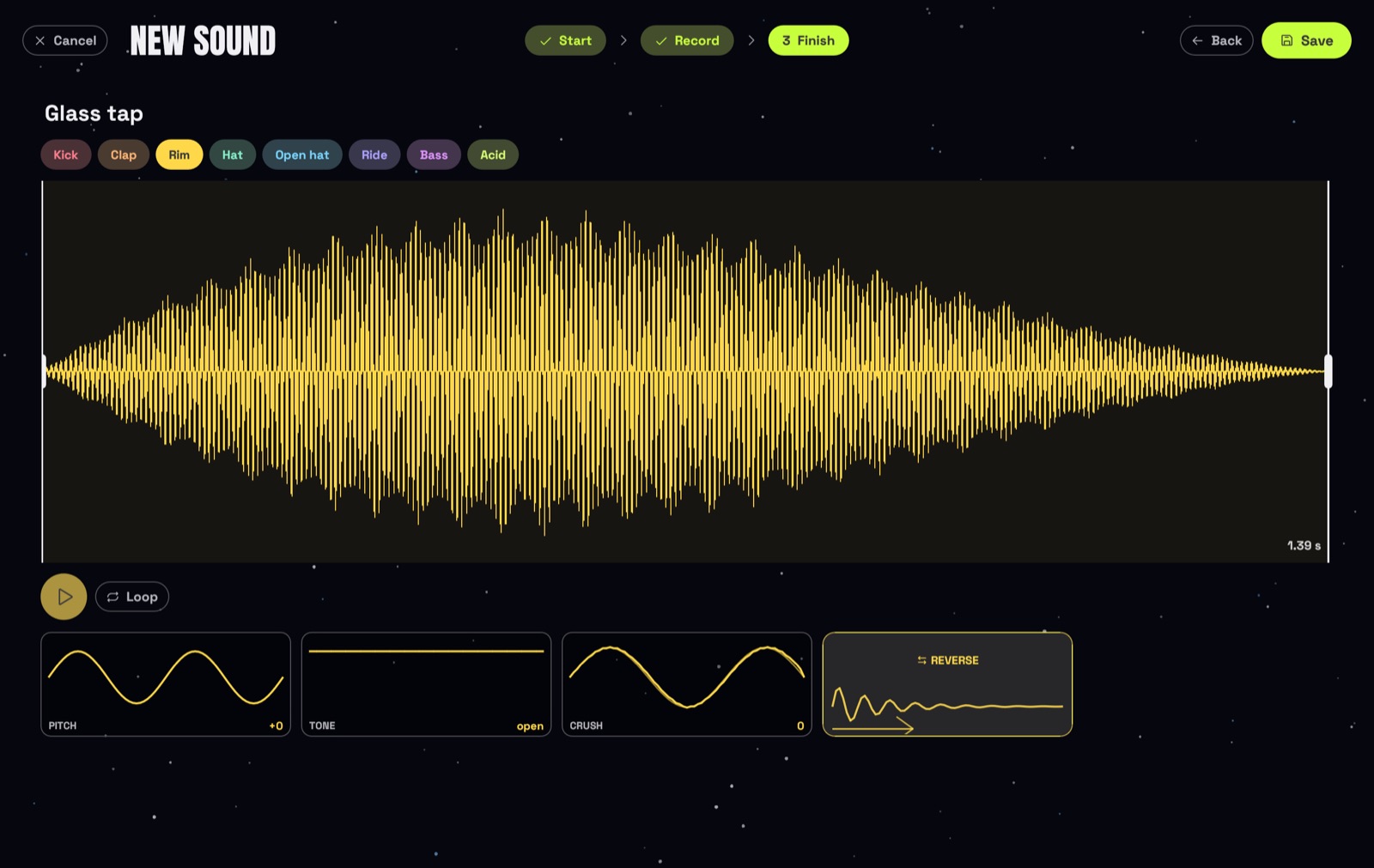
Yes, since version 0.10. Open SOUNDS on the start screen and press + New sound, choose Record, pick your microphone or audio interface and press the big red button. Your voice, a door, a glass, a beatboxed kick – anything works. A sound can be up to 30 seconds long; the silence at the start and end is trimmed and the level is set for you.
Every sound belongs to one track: kick, clap, rim, hat, open hat, ride, bass or synth. When you finish a sound, pick its track and press Save. Then choose it in that track's sound menu under Your sounds, or press Use on … in SOUNDS. Your sound plays like a one-shot at the level of the built-in sounds; on bass and synth it follows the notes and the key.
WAV, AIFF, MP3, FLAC and OGG. Choose Import under + New sound, or simply drop the files onto the Solarum window. Each sound can be up to 30 seconds long.
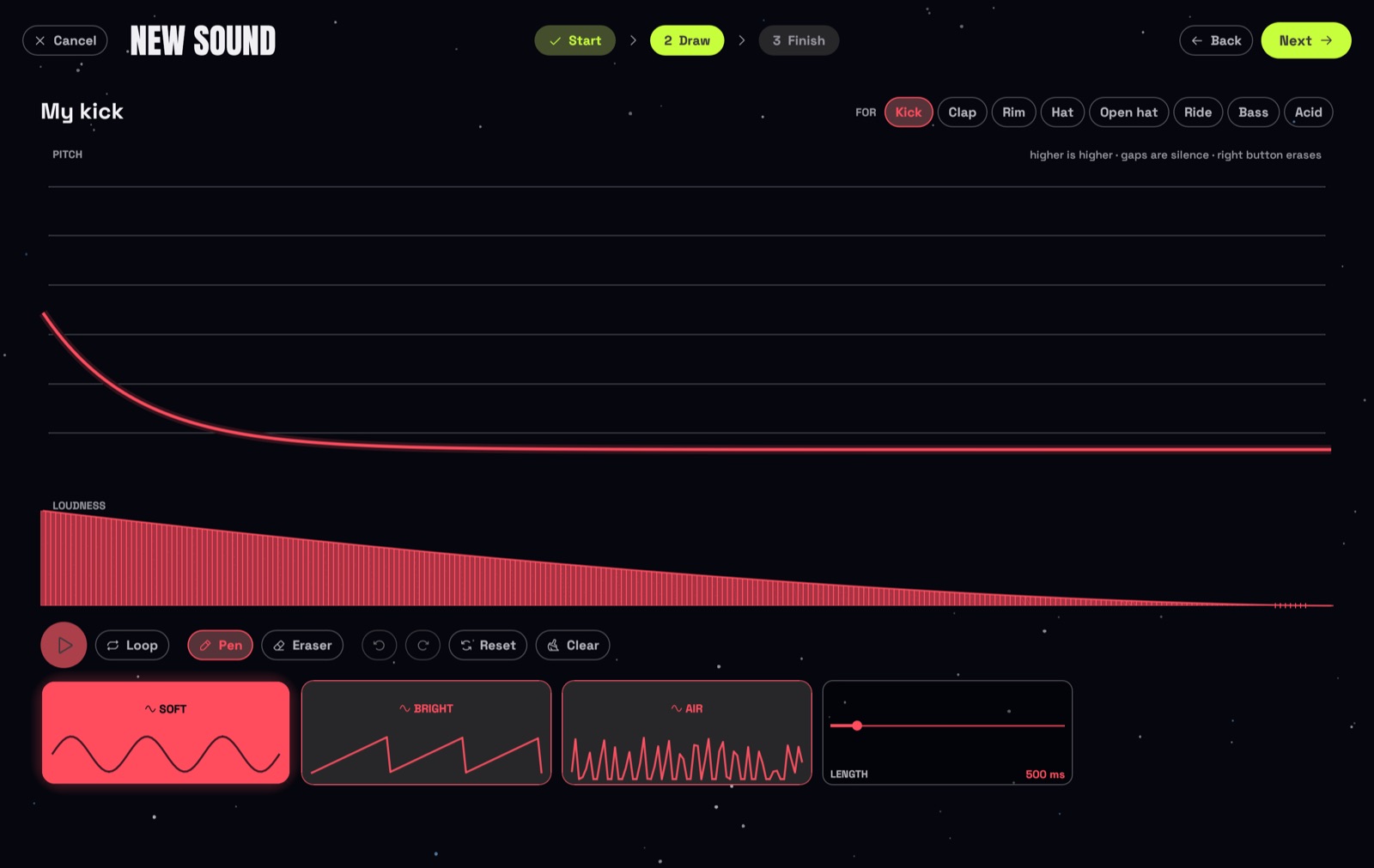
Yes, draw it. Start from a blank drawing board or paint over a track's template – a kick's falling pitch, a clap's three slaps, a hat's hiss. Draw the pitch in one lane and the loudness in the other, pick Soft, Bright or Air and a length, and you hear it after every stroke. Pen, eraser and undo are right there.
Yes – breed one. Under + New sound, choose Breed a sound: you hear four sounds for a track, click the one you like best and it gets four children, each a little different. After three or four rounds you have a sound of your own, with no drawing and no knobs. Next to it, Luna has three new sounds of the day for three different tracks – the same for everyone that day – to hear and keep with one click.
The editor works like a sampler: drag the white bars to cut the start and end, drag the top edge to fade in or out, change the pitch, make it thinner or darker with Tone, add lo-fi grit with Crush, or Reverse it. The waveform shows every change, Loop plays it over and over, everything can be undone, and the original audio is never touched.
Yes. A saved .solarum project carries the sounds it uses – up to 32 per project – so it plays the same on another computer. Projects from other people are checked before they play: oversized files are refused and packed sounds are limited to 30 seconds each.
Your computer has to allow it. On a Mac, macOS asks once whether Solarum may use the microphone; if you said no, open System Settings → Privacy & Security → Microphone and switch Solarum on. On Windows, open Settings → Privacy & security → Microphone and allow desktop apps to access it. Then pick the right input above the record button.
Luna is the little robot inside SOLAR OS, Solarum's auto mode. Switch it on and Luna plays an endless set like a DJ: grooves that change, breakdowns, build-ups and drops. It picks every change by ear, learns your taste from a thumb up or down, and answers commands like acid, drop, mood dark or bpm 135.
Playing, breeding and keeping sounds earn Luna stardust: one every 20 seconds of playing (after an hour a day, one every 80), +2 for a bred sound you pick and +5 for a sound you keep, with a daily limit. Ten levels unlock new antennas, colours, shades and – at the top – wings, plus new lines Luna says while it plays. There is no shop and no money, only progress. Click Luna on the start screen to dress it up.
Ten vibes: Dub, Minimal, Melodic, Hypnotic, Electro, Peak time, Acid, Rave, Industrial and Hard – each with its own tempo, sounds and pattern rules.
Yes. The record button (or the R key) records everything you hear – your beat, Luna's set, a whole AUTO SONG and the live effects – and saves it as a WAV file, ready to share or to use in other music software.
Yes. Plug one in, even while Solarum runs. Keys below middle C play the sounds (C kick, D clap, E rim, F hat, G open hat, A ride, B bass), keys from middle C up transpose bass and synth live, and the mod wheel, pitch bend and sustain pedal play acid, filter and echo.
Yes. Hold the live effects – stutter, echo, wash, crush, gate, tape stop and a filter pad – and press DROP for a build-up and a drop. Two visualizers, LIGHTS and FACE, show the music without any text; FACE opens in a window of its own, so you can drag it to a projector and keep playing.
Solarum doesn't carry Apple's paid developer signature yet, so macOS asks once. Open System Settings → Privacy & Security, scroll down and click Open Anyway next to Solarum. After that it opens with a normal double-click. Step by step ↑
Solarum doesn't carry Microsoft's paid code signature yet, so Windows SmartScreen asks once. Click More info, then Run anyway. After that Solarum starts like any other app – no installer and no admin rights needed.
Yes. Your work is saved automatically, projects from older versions still load, and saving never leaves half a file, even if the computer crashes in the middle of it. Solarum tells you at launch when a new version is out; you can switch that check off in the settings.
Solarum is young and changes fast. Report a bug, share an idea, give it a star on GitHub, or support it on Ko-fi. The code is open, so contributions are welcome too.
Solarum is young and changes fast, so things will move around and some will break. Feedback, ideas and help are more than welcome.